
Why online events?
Online activities can be an accessible and practical way of promoting services and collections to new audiences, particularly those who are unable to attend in-person events due to other commitments or accessibility issues.
This has particularly been the case since March 2020: “The digital switch happened quickly when lockdowns were first introduced. Libraries were able to offer their users alternatives to physical [services] and many people made use of these digital services in ways they had not done before.” (‘Service Recovery Hub – stay on top of the latest developments,’ Information Professional, April-May 2021, p.31)
While online activities have been the default method of delivery during the COVID-19 pandemic, they will likely remain a useful tool in the arsenal of all librarians going forward.
Online local studies events have proved particularly popular since March 2020, perhaps because audiences spending more time at home have been looking at community and individual identities with fresh eyes, (re)discovering a passion for heritage and family history.
Although it is tempting to simply think of online events as a straightforward recreation of an in-person event, there are several factors that have to be taken into account, many unique to online activities. These can be framed in three overlapping categories: planning, delivery and evaluation.
Planning
Identifying the best platforms to use
Librarians can face several barriers to setting-up online events: uncertainty around platforms – which to use and how to use them; whether there is an audience that will (a) find and be interested in the events being set-up and (b) understand the technology needed to access those activities. Much more so than traditional in-person events, online activities can involve many ‘unknown unknowns’ – at least initially.
Support can be found, whether internally – from colleagues in other areas of your service – or externally: e.g. online guides to choosing the best platform, or social media conversations and mailing lists, both of which can be used to identify the platforms external colleagues have found most librarian and user-friendly.
Which platform will you choose? Zoom was the early leader, but Microsoft Teams is often free at the point of use for local authorities so is the preferred option. YouTube and Twitch are also available.
Test the available platforms for yourself before deciding – become familiar with the systems for admitting users, turning on/off user cameras and sound, removing attendees from the session in cases of disruptive behaviour.
Content
Online activities can range from lectures to interactive workshops, but most often follow the classic format of a speaker delivering a talk to a listening audience.
You may discover that some events are more difficult and challenging for online platforms – e.g. workshops with interactive elements. Keeping it simple is key: it is much harder to intervene and correct an event that is going wrong online than it is in person. Communication with audiences is much harder as the usual visual cues are more difficult to read – e.g. body-language – and it can be more difficult to speak to audience members with particular issues privately on a 1-1 basis.
Tips for hosting such sessions successfully would include ensuring more than one member of staff is present – attendees who are struggling with the material, or who are being ‘disruptive’ (whether intentionally or not) can be spoken to privately by one librarian, while the other continues to lead the session. Most platforms for hosting online events will have an equivalent of Zoom’s ‘break out room’: a discrete digital space where a customer (or customers) can be placed with a host to discuss any problems that have arisen.
Many considerations for choosing the topic of online activities are the same as those for in-person events – e.g. an exploration of library collections from a staff member, or a talk by a local historian. Tying talks to anniversaries and significant local, national and international events – including awareness days/weeks/months – can be a useful way of populating a calendar and will help generate publicity and engagement. Some tie-in events could prove controversial, however, with particular implications for online activities (see the delivery section below).
Bear in mind that online events can potentially help library services to reach audiences who would not normally use local studies resources and can aid wider organisation aims around diversity and representation – it’s worth casting your net wider for online event content than you may for in-person ones; you may find a new audience easier to reach with the former than the latter.
Many attendees at online events since March 2020 are local and family history afficionados who are no longer based in the region (or even the UK at all), and so unable to attend in-person events. Many local history librarians will find they are hosting events for audience members from as far afield as Australia and the USA.
Of particular importance for online events is finding speakers who are not only comfortable talking in front of an audience, but who are familiar with and happy to use the necessary technologies – while this is perhaps less of an issue in a post-March 2020 world, it is still a consideration to take into account.
Events may increasingly be delivered in-person and online simultaneously, even now that COVID-19 restrictions have been lifted. Not all attendees or potential attendees are yet comfortable attending in-person events – a situation likely to persist for some time to come. Getting technical advice and support from colleagues, social media, mailing lists or user guides on how to do this effectively will be key.
Marketing
Organisations may require all librarians across the service to use one account for running online events (i.e. including non-local studies ones); coordination is therefore required to ensure platforms are not double-booked before any marketing is started.
The usual publicity channels for in-person events – mailing lists, printed and digital programmes of organisation events, social media, blogs and posters – remain relevant for online events.
It is advisable to make entry to online events available through booking a ticket: unlike in-person events, where attendees can sometimes (though not always) make a casual decision to attend on the day, that is less useful for online events in which a login code often needs to be sent to attendees in advance of the session.
Online methods of booking tickets include Eventbrite and Ticketsource – your organisation may have a preference for which platform you use.
You will have to, however, ensure there is a process for those attendees who are unable to book online themselves, but who still wish to attend (or are purchasing tickets on behalf of someone else): an alternative contact method should be provided – an email address and, crucially, a telephone number to a department where staff can book tickets on behalf of customers.
Administration
Once an event has been successfully booked and tickets have been sold, it is usually necessary to send login details to attendees ahead of the allocated start date and time. This often consists of a link to the session itself, and a password or code to grant entry, usually sent in an email.
Each platform differs, however, and some offer different methods of online delivery even within the same package: e.g. the difference in Zoom between meetings (where an access password is required) and webinars (where only a link to the session is needed – access is automatically granted when an attendee clicks the webinar link).
Sending access details to attendees is also a good time to remind customers of the likely set-up in your event – are cameras disabled on entry? Is attendee sound muted? How do attendees ask questions? If you’re intending to record the event, it might also be necessary to send attendees a statement relating to their GDPR rights – your organisational GDPR officers will be able to advise.
Some external speakers may not be familiar with the platforms you are using, and may benefit from a pre-event run through of what is likely to happen on the day – the order actions will happen in, how to share screens, confirming that monitoring questions and chat boxes will be the host’s responsibility, and so on.
Delivery
Hosting events
The host is a key role when delivering online events; this is likely to be a librarian when an external speaker is present. If a staff member is the speaker, it is a good idea to have a colleague present who can handle hosting and administrative duties; it can be difficult to manage speaking and administration simultaneously. In any case, your organisational safeguarding guidelines may stipulate that two staff members have to be present when delivering online events, particularly if they are not being recorded.
Hosting duties usually involve admitting ticketholders from a waiting room (where relevant), followed by a general introduction to the event, the speaker and then any housekeeping – including brief information for attendees about video and sound being on/off and signposting to how and where customers can ask questions (e.g. by text in the platform chat box at any time or orally at designated periods if sound is muted by default).
It can be helpful to pre-write a script for a host’s introduction, and to have that on your screen alongside the platform window (or printed) – improvising in the moment is rarely a good idea!
During the actual event, the host’s duties generally involve monitoring comments and questions in the chat box, which can include technological queries – some of which may need subtly relaying to the speaker, e.g. volume too low. Agree a method of communicating with the speaker beforehand – e.g. by text message, or verbally interrupting the event.
At the end of the event the host will usually thank the speaker and field questions on their behalf – by, for example, reading questions or comments from the chat box. Online events can occasionally include difficult or controversial questions or comments from attendees – the host can pre-filter these if they are relaying to the speaker. Obvious trolling can be more easily ignored (unlike in-person events).
Your organisations should have training or advice available to help staff deal with particularly difficult online situations, e.g. ‘Zoom-bombing’ (defined by Wikipedia as “the unwanted, disruptive intrusion, generally by Internet trolls, into a video-conference call”) – such situations can be traumatic; another reason to have several staff members present at events, where possible.
Delivering events
Many librarians will already be familiar with delivering live events to audiences; online events do not differ hugely from in-person events in terms of the actual delivery. Some general advice, however, would be to undertake plenty of practice on the platform you’ll be using before the event takes place: know how all the icons and tools work, and exactly how they integrate with your preferred delivery method (e.g. slide show, video, etc).
Test sound and video several times before the event is live. A good host should ensure you have to do the bare minimum of administrative work when delivering an event – but it pays dividends to have a good awareness of how to resolve any issues that may arise.
Even more so than in-person events, audience attention may waver during online activities – keep the content flowing from section to section, with plenty of visuals and a mixture of sincerity and humour.
Recording events
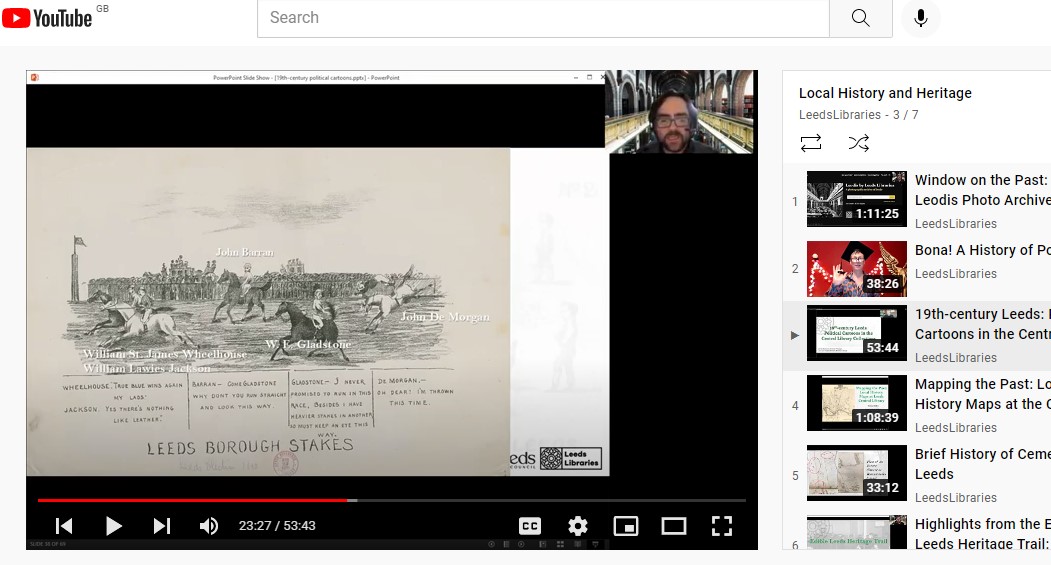
Recording events is a great way of ensuring as wide an audience as possible can engage with the content at a time of their choosing. Copies of the recording can be sent to everyone who initially booked a ticket, including those who were not able to attend. Recordings of some events – e.g. talks – might be suitable for uploading to a video-sharing website, e.g. YouTube.
Uploaded talks can be made available for as long as you or your organisation wants them to be – a way of ensuring the permanent (or, at least, long-term) preservation of the research and material covered in the talk or event. Check if your organisation has an institutional preference for which hosting site is used (if any).
If you are recording any online events you may need to read a GDPR statement to attendees before beginning, making them aware the recording is happening and of their right to remove themselves from the session if they do not wish to be captured during the recording (though most platforms only capture the speaker and attendees if they make a comment or other intervention). Delivering GDPR statements is generally the duty of the host during any introductory speech.
Accessibility
Online events will be attended by customers who are partially-sighted or hard of hearing: closed-captions can usually be added to events, or you can pre-emptively ask speakers to ensure they are providing good descriptions of any images they are showing.
Bear in mind the diverse needs of customers before setting up online events – consider whether an online event’s format means it will be inaccessible to some audience members – see YouTube’s guide to adding closed captions for more information: https://support.google.com/youtube/answer/2734796?hl=en#zippy=. Can some events be in-person instead, or a mixture of live-streaming and in-person?
Evaluation
Demonstrating the impact of online events uses the same primary metric as in-person events: how many attendees were present? It may be a good idea to send a survey to attendees afterwards, asking how many customers had attended online who had not previously attended in-person library events. Similarly, a comparison of in-person with online attendee figures may yield informative data about the intrinsic benefits of the latter.
A mixture of in-person and online events is perhaps the future for library services, though as yet largely untried. Additional technical support from relevant organisational departments may be required, at least on the first few instances.
Positives and negatives
Online activities allow your service to reach a much wider range of people than in-person events, where someone’s attendance can be limited by physical proximity, accessibility needs, etc.
Online events can remove some of those barriers – but be aware that they can add others, most especially barriers for those who lack digital skills or access to technologies. Signposting to colleagues who deliver digital skills sessions may be useful in these situations.
Another disadvantage of online events compared to in-person is that it is harder to showcase relevant stock or resources at the event, and audiences who do not usually use your library building no longer have a reason to enter the space.
There is much less personal interaction, whether between patrons and patrons, or patrons and librarians – often further projects and activities are developed from conversations and encounters before and after physical events; something much less common, possibly non-existent, at online activities.
Nevertheless, online events have come of age since March 2020 and are clearly here to stay – they are now, and will remain, a key tool in the modern local studies librarian’s toolkit.
Got something to add?
Do you have any comments, suggestions or updates for this page? Add a comment below or contact us. This toolkit is only as good as you make it.

 CILIP Local Studies Group